


Skip to content
Live

Yumee Workforce

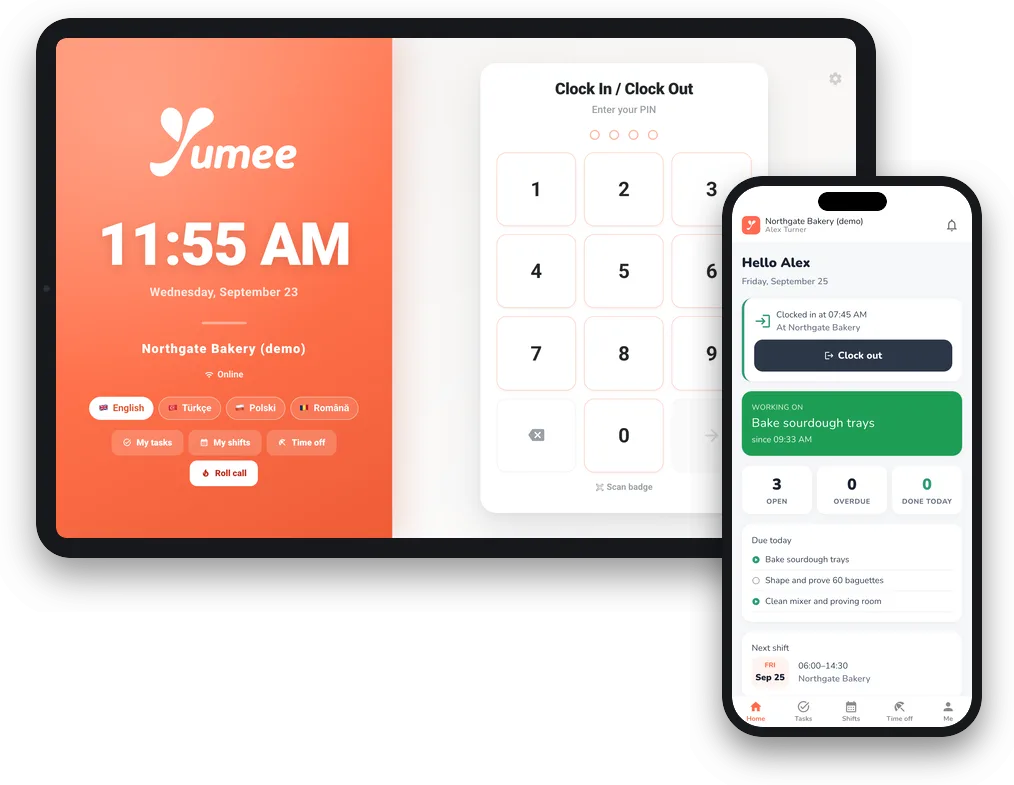
Face and PIN clock-in on a tablet, with the rota and payroll behind it.

Who it is for: Factories, warehouses and multi-site employers

Staff app: Yumee Work on the App Store ↗

The clock-in tablet and the Yumee Work app on a phone

What you actually get

A tablet by the door that knows who walked in. Staff clock in with their face, a PIN or a QR badge, a photo can be taken every time, and the hours flow straight into timesheets and the payroll export.

The clock-in tablet and the Yumee Work app on a phone

Clock in and out

PIN or QR badge on every plan, face recognition on the Team and Pro plans. Breaks started and ended at the tablet, or deducted automatically on long shifts.
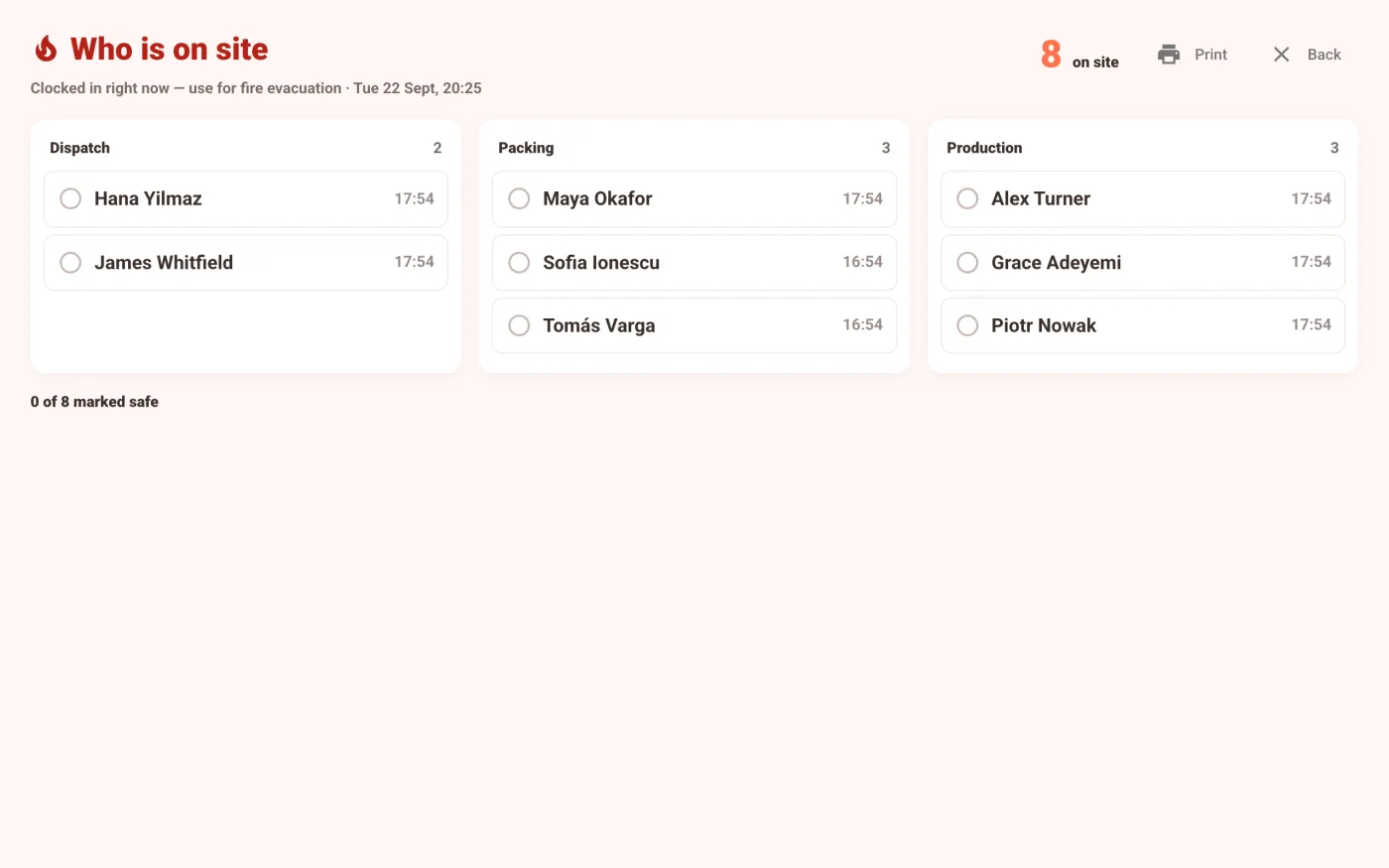
Fire roll-call on the tablet: who is on site, by department

Fire roll-call

Who is on site right now, on one list.
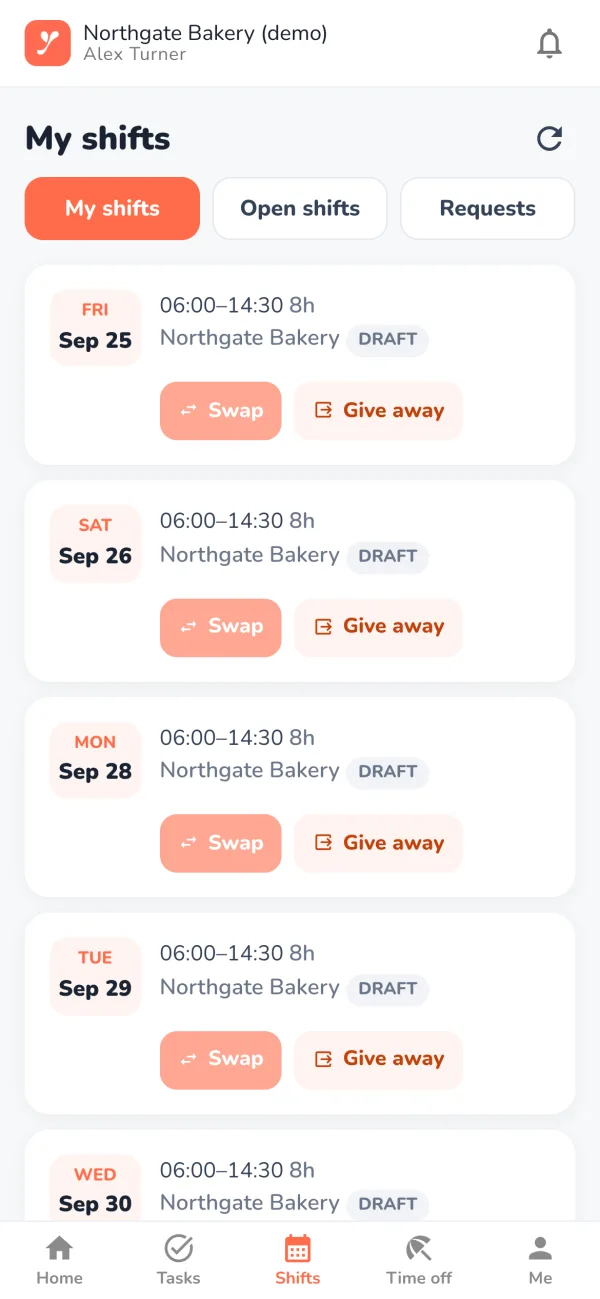
Shifts in the Yumee Work app, with swap and give-away buttons

Staff app

Yumee Work puts each person’s shifts, swaps and holiday on their own phone. On Android today; the iPhone app is on its way.
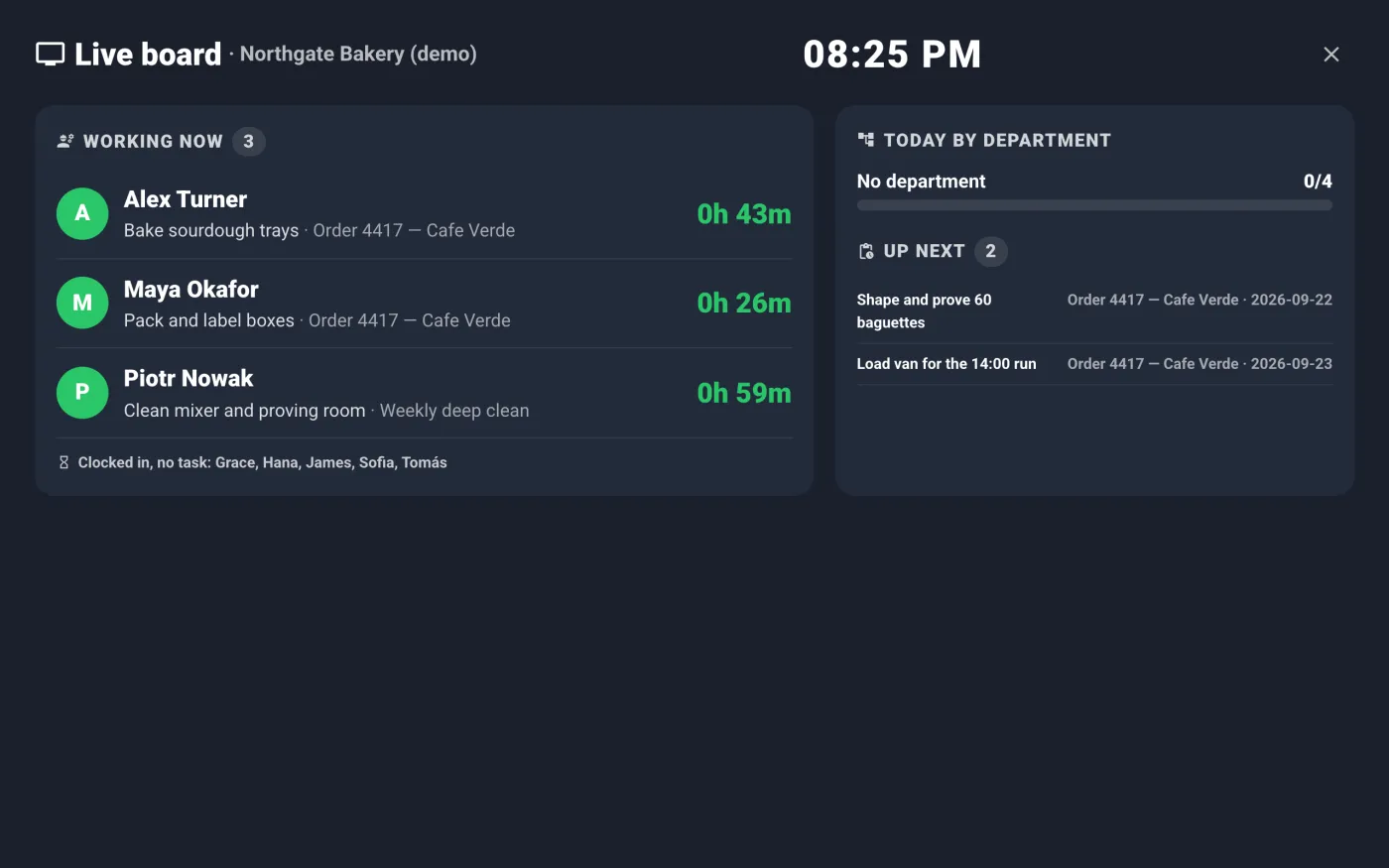
The live board: who is working on what, and what is next

Jobs on a live TV board

On the Pro plan: jobs and tasks with a live TV board, pay by department and piece-rate bonuses, and an API for your own systems.

Behind the tablet

ProofAn optional photo on every clock-in. Photos are deleted after the retention period you choose — up to 90 days on Starter, 180 on Team and 365 on Pro.
When the wifi dropsStaff keep clocking in with their PIN, and those clock-ins are flagged for a manager to check once the connection returns.
Rota & time offHoliday and absence requests on every plan. Shift templates, a weekly rota with working-time warnings, swaps and open shifts on Team and Pro.
CorrectionsA manager fixes a missed clock-out — with an audit trail, and the pay recalculated.
PayrollExports formatted for Xero, Sage 50, BrightPay, QuickBooks, Moneysoft and IRIS/Staffology on Team and Pro; CSV and PDF summaries on every plan. Tax and RTI stay with your payroll software.
Sites & teamsDepartments on every plan, more than one site on Team and Pro — one account and one set of rules.

Built for shift change, not for an office ​

At 6am, forty people start at once. Each clock-in takes seconds, and with face recognition required there are no shared fobs and no clocking in for a friend — with a photo record that settles a dispute weeks later.

Also included ​

  • Pay rules — night, weekend, bank holiday and overtime rates worked out from the hours
  • Holiday that adds itself up — 12.07% accrual for irregular hours, and a Bradford Factor report
  • Tablet in four languages — English, Turkish, Polish and Romanian
  • Clock in from a phone — off by default; when you turn it on, it is limited to your site, with an optional selfie
  • A tablet whose clock was changed is caught, so hours cannot be moved by hand
  • Alerts where your managers already are — Slack and Teams notifications, webhooks, and a warning before a staff document expires
  • Leavers’ face data deleted automatically
  • Start on your own — sign up, try it free for 14 days, and export all your data or cancel from the panel

Why it is a separate product ​

Workforce is built for any team that works in shifts — factories, warehouses and multi-site employers — and the person buying it is usually an operations or HR manager. It is made by the same team as Yumee POS, but it runs on its own, with its own site and its own sign-up, and there is no link to the restaurant system.

Let us work out if it fits

Tell us what you run and we will tell you honestly whether you need it.

Phone

0330 122 7312

Email

info@yumeeservices.com

Location

The Charter Building
Charter Pl, Uxbridge UB8 1JG