


FOR RESTAURANTS
A full room should not mean a messy close
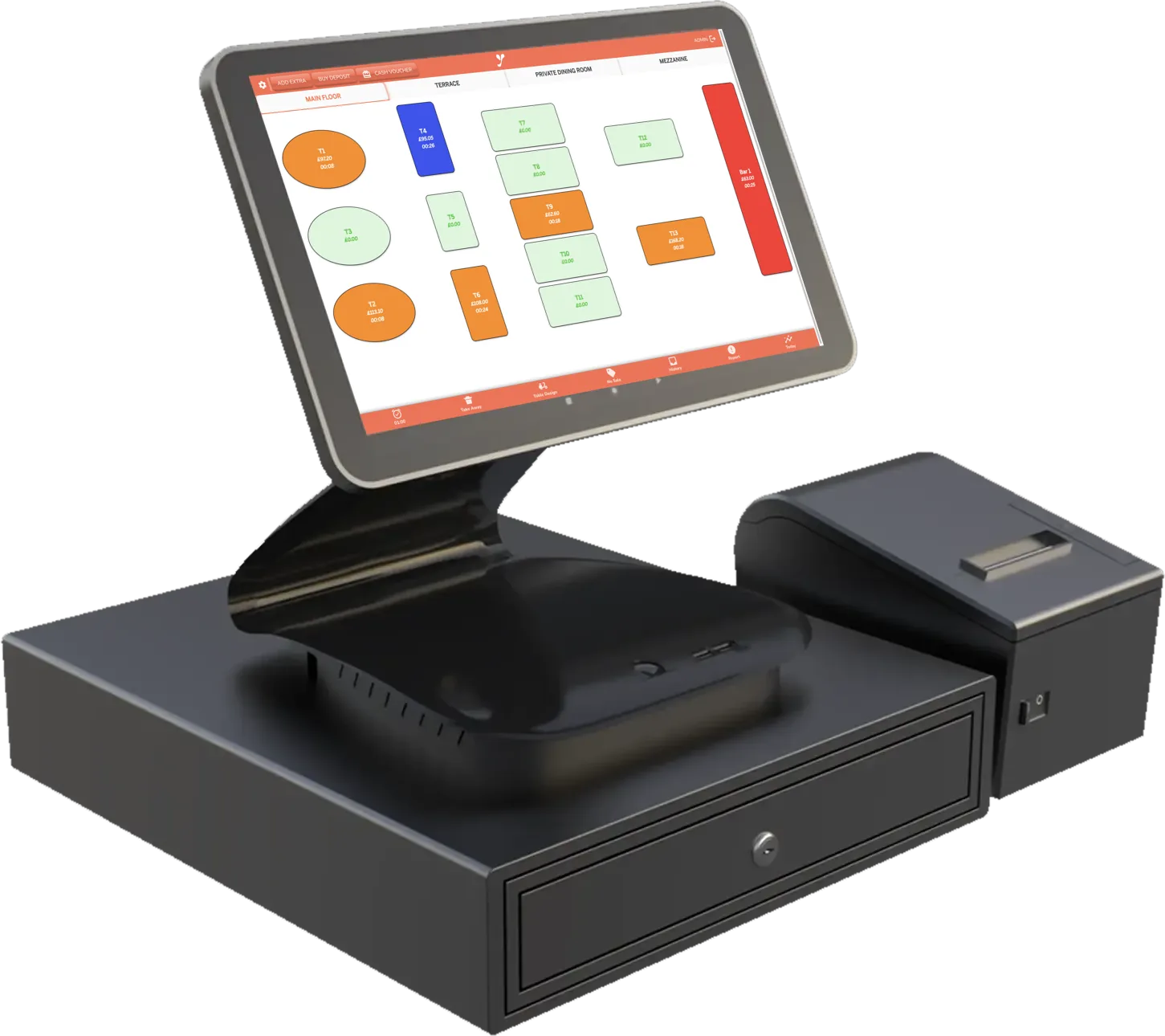
Table service breaks tills that were designed for a counter. Courses land in the wrong order, the bill splits six ways at the worst possible moment, and the kitchen is reading a printout that has curled up under the pass. This is a till built the other way round — around the floor plan.
Sound familiar?
The bill splits six ways at 10pm and the table waits while someone does arithmetic on a napkin.
Starters and mains arrive together because the kitchen never saw the coursing.
You know the room was busy. You do not know which dishes actually made money.
What changes
Floor plan, tables, covers and transfers — the screen looks like the room
Split a bill by guest, by item or down the middle, in seconds
Courses held on the till and fired with one tap, or on their own after a set time — the kitchen display keeps each course apart with its waiting time
Guests scan the QR on the table to order and pay for their own round from their phone
With the Inventory add-on, recipe costing shows the true margin on every dish
VAT and Z-reports ready for your accountant, staff hours checked against working-time rules, and a guest’s allergy in writing on the kitchen ticket
One service, start to finish
- Doors open
The floor plan is on the screen with last night already closed and banked.
- Order taken
Table nine, four covers, starters held. The kitchen sees it before the waiter turns round.
- Mains fired
One tap on the till fires the mains. The kitchen display shows how long they have waited, so the pass knows what is late.
- They ask for the bill
Split four ways on the till, paid on two cards and in cash — one table, one closed check.
The part most tills get wrong
A counter till thinks in transactions: ring it, take the money, next. A dining room does not work like that. A table is open for two hours, things are added to it, one guest arrives late, someone moves to the bar, and the whole thing has to close cleanly at the end — often paid by three different people in two different ways.
That is why the floor plan is the main screen here rather than a feature buried in a menu. Tables carry covers, orders and payments together, and the waiter never has to remember which check belongs to which table.
Where the money actually leaks
Most restaurants know their food cost as a percentage of the whole. Far fewer know it per dish — which is where the decisions are. With the Inventory add-on, recipe costing takes the ingredient prices you already buy at and tells you what each plate really costs, so a popular dish that earns nothing stops hiding behind one that does.
The same goes for waste and voids: they are recorded rather than shrugged off, and they show up in the report next to the sales they cancelled out.
What about bookings?
Yumee Venue — commission-free reservations with a waitlist and a guest app — is launching soon rather than live today. If you take a lot of bookings, say so when we talk and we will tell you plainly where it is up to instead of selling you a date.
See it before you decide
The user guide shows what each app does: start with Yumee Restaurant and the Kitchen Display. To see the screens themselves, book a demo and we will show you on your own menu.
Turkish and Kurdish restaurants
Meze first, the grill when the table is ready, and a takeaway counter in the same room: Turkish and Kurdish restaurants have a page of their own.
Guides for restaurants
Free guides based on official sources: questions to ask before you choose an EPOS, allergens in restaurants, QR order and pay at the table, service charge or tip, the tipping law, right to work checks, alcohol licences and pavement licences. All of them are on the guides page.
The setup that usually fits
EPOS Elite
A fixed touchscreen at the pass, a drawer, a receipt printer, a card machine and a kitchen display — the setup a table-service room actually needs.
See the packageSo what does it cost?
The software is a monthly licence per device, excluding VAT — call us on 0330 122 7312 for a price. Hardware, installation and card processing are quoted separately — all of it in writing, with nothing appearing later.
Get a quoteRun something else?
Let us work out if it fits
Tell us what you run and we will tell you honestly which of this you need — and which you do not.
Phone
0330 122 7312
info@yumeeservices.com
Location
The Charter Building
Charter Pl, Uxbridge UB8 1JG