


Kitchen Display (KDS) Add-on
AndroidPaper tickets, gone. Orders appear on a kitchen screen the moment they’re sent, and your team bumps them as they go.
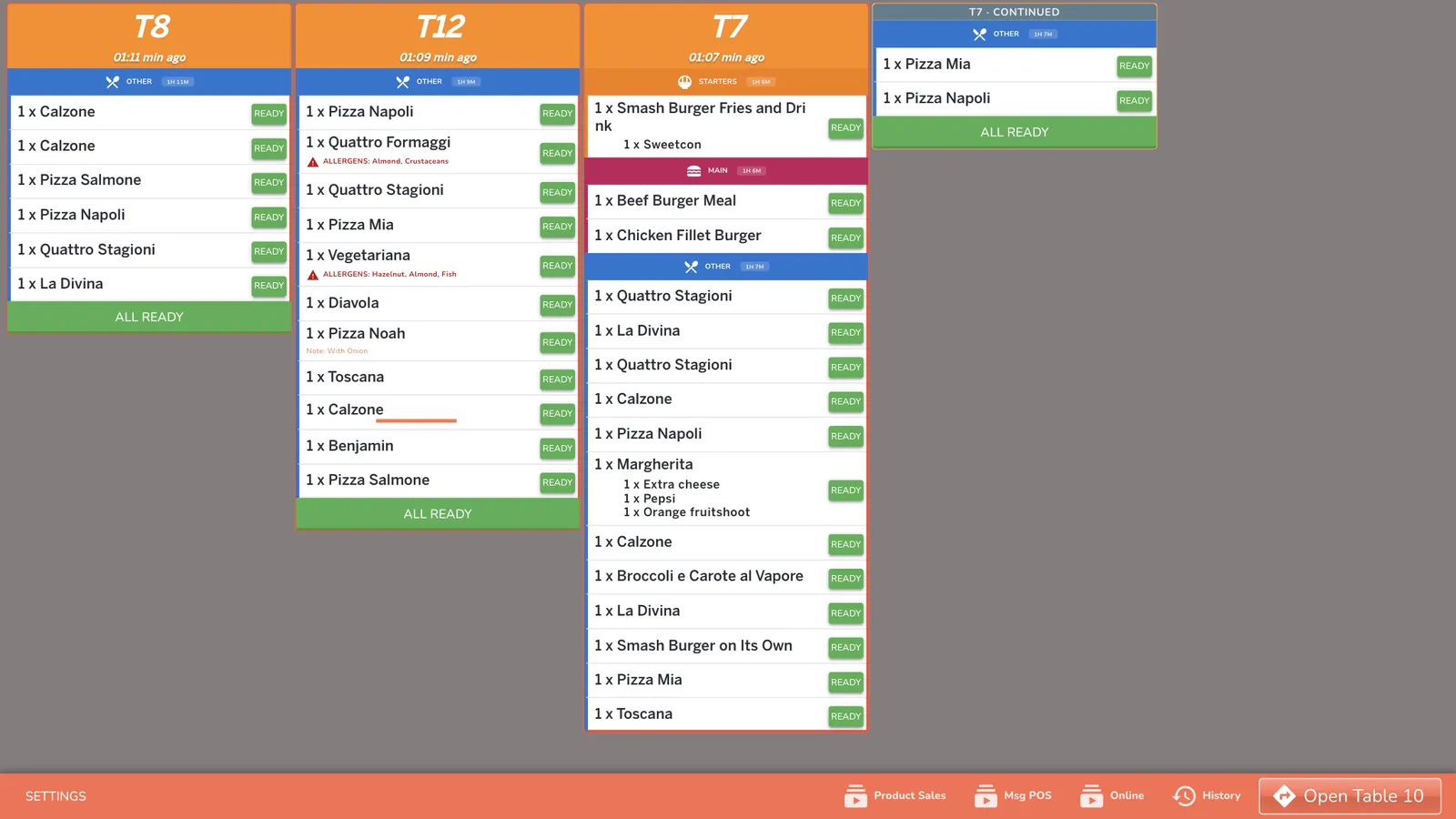
The Kitchen Display shows every open table as a live “ticket” card. Orders sent from the till appear instantly, grouped by course, with timers that turn orange then red as they age — so nothing is forgotten and nothing runs late. Each screen can be set up as a cook station, the pass, or a runner, so a busy kitchen flows from prep to plate to table.
Who it’s for
Kitchen and pass/expo staff, on a screen mounted in the kitchen or on the pass. Large, clear text you can size for each screen, with a dark mode for low-light kitchens.
What you can do
See every order live
Tickets per table, grouped by course, with guest counts, allergens and takeaway or delivery tags.
Never run late
Timers turn orange, then red, with sound and spoken alerts for new orders and long waits.
Bump as you go
Mark items and whole tables ready with a tap; recall anything bumped by mistake.
Pass & runner flow
Set each screen as station, pass or runner to expedite and deliver in order.
Prep smarter
A prep sheet suggests how much to make, based on your recent sales.
86 in a tap
Mark items out of stock and they grey out for the whole team instantly.
See it working
Want to see the screens? Book a demo and we will walk you through every one.